Quick answer
Why do staff not follow SOPs, and how can you fix it?
Staff do not follow SOPs mostly because the SOPs are too long, unclear, outdated or never trained, and because nobody checks or the owner takes shortcuts. Fix it with one-page SOPs, photos and short videos, versions in Hindi or Punjabi on WhatsApp, simple checklists, regular spot checks and a fixed review cycle.
Key takeaways
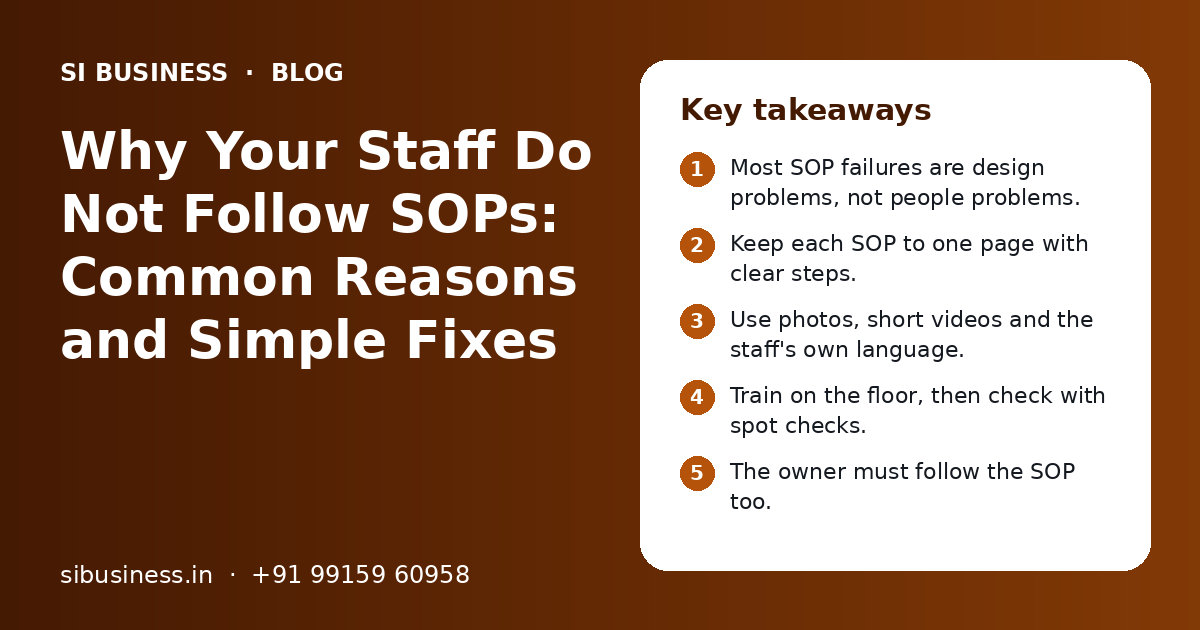
- Most SOP failures are design problems, not people problems.
- Keep each SOP to one page with clear steps.
- Use photos, short videos and the staff's own language.
- Train on the floor, then check with spot checks.
- The owner must follow the SOP too.
- Review every SOP on a fixed cycle.
Why do staff not follow SOPs in most businesses?
In most businesses, staff do not follow SOPs because the SOP is hard to use, not because they want to break rules. When a written process is long, unclear or out of date, people go back to the way they already know.
Understanding why staff do not follow SOPs is the first step. If you fix only the symptoms, such as shouting or fines, the same problem comes back in a few weeks. If you fix the cause, the SOP starts to work on its own.
If you are starting from zero, our SOP documentation service explains how we write SOPs that staff can actually use.
What are the most common reasons SOPs are ignored?
The most common reasons are simple: the SOP is too long, the words are unclear, staff were never trained, nobody checks, the owner takes shortcuts, and the SOP no longer matches the real work.
| Reason | What you see on the floor | Simple fix |
|---|---|---|
| Too long | Staff never open the file | One page per task, numbered steps |
| Unclear words | Each person does it differently | Simple words, photos, one action per step |
| Not trained | New staff copy whoever is nearby | Show, do, then watch on the floor |
| No checks | Steps are skipped when it gets busy | Short checklist and weekly spot checks |
| Owner shortcuts | Staff say, 'Sir also does it this way' | Owner follows the same SOP in front of staff |
| Outdated | SOP mentions an old machine or software | Fixed review cycle with an owner for each SOP |
| Wrong language | Workers nod but do not understand | Hindi or Punjabi version, read aloud in training |
| Hard to find | File is in the office, work is on the floor | Print at the work spot, share on WhatsApp |
Note that most of these causes sit with the SOP or the rollout, not with the staff. Sending a PDF in a group is not training, and a step that nobody checks is soon skipped when work gets busy.
How do owner shortcuts and outdated SOPs break the system?
Owner shortcuts teach staff that the SOP is optional, and outdated SOPs teach them that the document is wrong. Both make staff trust their own habits more than the written process.
In many family businesses, the owner is the fastest and most trusted person. When the owner skips the billing steps for a known customer, gives stock without an entry, or approves a refund on a phone call, staff notice. They copy what the owner does, not what the SOP says.
Decide which steps the owner must also follow. If the owner needs a special route, write it into the SOP as a clear exception. Then staff know it is allowed and when.
Outdated SOPs cause a different problem. A new billing software, a new supplier, a moved storeroom or a new rack layout can make old steps wrong. When staff find one wrong step, they stop trusting the whole SOP.
If you are not sure which processes have drifted from the written version, an operations audit compares what is written with what really happens on the floor.
How do you write SOPs that staff will actually follow?
Write SOPs that are short, clear and visual. One task per SOP, one page, numbered steps, simple words, and photos of the key moments.
- 1
Pick one task
Choose a task that causes mistakes or delays, such as billing, packing, opening the store or patient registration. Do not try to write every SOP at once.
- 2
Watch the best person do it
Sit with the staff member who does it well. Note each step in their words. Ask why they do each step.
- 3
Cut it to one page
Keep only the steps that change the result. Remove background notes and long explanations.
- 4
Write one action per step
Start each step with a verb: open, count, check, enter, send. Say who does it and what tool they use.
- 5
Add photos or a short video
Show the correct screen, the correct shelf, the correct packed box. A photo removes many doubts.
- 6
Test it with a new person
Ask someone who has never done the task to follow the SOP. Every place they get stuck needs a clearer step.
What a one-page SOP should include
- Task name and who does it
- When it is done (for example, every morning or every new order)
- Five to twelve numbered steps
- Photos of the key steps
- What 'done right' looks like
- Who to call if something goes wrong
- Last checked date and SOP owner
Many SOP problems start because the process itself is messy. If a task has too many handovers or approvals, fix the process first. Our business process optimization work helps you simplify the steps before you write them down.
Need help with your project?
Talk to the SI Business team. Free first call, simple advice, clear quote.
Should SOPs be in Hindi, Punjabi or on WhatsApp?
Yes, if that is how your staff read and talk. An SOP works only when staff understand it, so write it in the language they use at work and share it where they already look, which for many teams is WhatsApp.
In many Indian businesses, managers read English but floor staff, drivers, kitchen teams and helpers are more comfortable in Hindi or Punjabi. An English-only SOP can look fine to the owner and still be unclear to the people doing the work.
- Keep the English version as the master copy.
- Use simple spoken words, not formal or legal language.
- Record a short voice note or video of a senior staff member explaining the steps.
- Pin the SOP in the team WhatsApp group so it is easy to find.
- Print a copy and stick it at the work spot, such as the billing counter or packing table.
If your team already runs on WhatsApp groups, our WhatsApp business operations page explains how to set up groups, broadcast lists and pinned messages in a clean way.
How should you train staff on a new SOP?
Train staff on the floor, in small groups, using the real tools. Show the task, let them do it, and watch them do it again a few days later.
- Explain why the SOP exists in one or two lines, such as fewer wrong bills or faster dispatch.
- Show the task once at the real work spot.
- Let each person do it while you watch and correct gently.
- Give them the one-page SOP or the WhatsApp link to keep.
- Watch them again after two or three days.
- Sign off when they can do it without help.
Keep a simple training record and add SOP training to your joining process for new staff. Our HR process automation page shows how joining tasks, training records and checklists can be tracked without paper files.
A daily team huddle is also a good place to remind staff of one SOP step each day. See our post on how to run a daily team huddle for a simple format.
How do checklists and spot checks keep SOPs alive?
Checklists make staff follow the key steps every time, and spot checks show you whether the SOP is really used. Together they turn a written document into a daily habit.
Use checklists for the risky steps
A checklist is a short list taken from the SOP. It covers only the steps where mistakes cause real damage, such as cash counting, stock entry, temperature checks or final packing. Staff tick it at a fixed moment, on paper, in a sheet or in an app.
Our post on the store opening and closing checklist shows a simple example of this.
Run spot checks, not raids
A spot check is a short, calm review of one task. A manager picks one bill, one order or one shift and checks it against the SOP. The goal is to find gaps, not to catch people.
Good spot checks
- Short and regular, for example two checks a week
- Focused on one SOP at a time
- Done by a manager who knows the task
- Followed by help or retraining when a step is missed
- Results noted in a simple sheet
Spot checks that backfire
- Surprise raids that feel like punishment
- Checking everything at once
- Public blame in front of customers or other staff
- Fines for every small miss
- No follow-up after the check
Over time, track a few numbers, such as how many checks passed and which steps are missed most. A simple KPI dashboard for owners can show these next to your sales and delivery numbers.
How often should you review and update SOPs?
Review every SOP on a fixed cycle, such as every six months, and also whenever the task changes. Give each SOP an owner who is responsible for keeping it correct.
| Trigger | What to do |
|---|---|
| Fixed review date | SOP owner reads it, checks the floor and updates the date |
| New software or machine | Update the steps and photos before staff start using it |
| Repeat mistake or complaint | Check if the SOP is unclear or missing a step |
| Staff suggest a better way | Test it, and if it works, update the SOP |
| Role or team change | Check who does each step now |
When you update an SOP, tell the team clearly. Share the new version on WhatsApp, remove the old printed copy, and explain what changed in one line. If you can, move repeat tasks into simple workflow automation, so the system guides the steps and the SOP stays shorter.
What mistakes should owners avoid when fixing SOP problems?
Avoid blaming staff first, writing more pages, and changing everything at once. These steps feel like action but usually make the SOP problem worse.
- Do not add fines before you check if the SOP is clear and trained.
- Do not write longer SOPs to cover every possible case.
- Do not roll out twenty new SOPs in one week.
- Do not skip the owner and managers when you set the rules.
Start with two or three tasks that cause the most trouble. Fix those SOPs fully, train the team and run checks for a month.
SI Business is powered by Shivah Web Tech, with 11+ years of experience and 500+ projects. We help owners and operations heads write SOPs, train teams and set up simple checks. You get a clear quote after a free call. Contact us to talk about your processes.
Frequently Asked Questions
Why do employees ignore SOPs even after training?
Usually because nobody checks after training, the SOP is too long to look at during work, or managers and the owner do not follow it themselves. Training is only the first step. Add a short checklist for the key steps, run regular spot checks, and make sure senior people follow the same rules. Then staff see that the SOP is really how work is done.
How long should an SOP be?
For most daily tasks, one page is enough. Aim for five to twelve numbered steps, each starting with a clear action word. Add photos for key moments. If a task needs more than one page, it is often two tasks joined together, so split it into two SOPs. Long background notes can go in a separate training guide.
Should I fine staff who do not follow the SOP?
Fines are rarely the first answer. They make staff hide mistakes instead of fixing them. First check if the SOP is clear, current and trained, and if the right tools are available. If one person keeps skipping steps after clear training and checks, treat it as a normal performance issue and talk to them privately.
Can I share SOPs on WhatsApp with my staff?
Yes. Many small businesses share SOPs as a PDF, image or short video in a team WhatsApp group and pin the message. This works well because staff already use WhatsApp every day. Keep a master copy in one shared folder, remove old versions from the group, and tell the team clearly whenever an SOP is updated.
Do I need SOPs in Hindi or Punjabi?
If your floor staff are more comfortable in Hindi or Punjabi, yes. An SOP only works when the people doing the task understand it fully. Keep the English version as the master and make a local language version with the same step numbers. A voice note or short video in the local language also helps a lot.
How often should SOPs be updated?
Review each SOP on a fixed cycle, such as every six months. Also update it whenever the task changes, for example after new software, a new machine, a new supplier or a repeat mistake. Give each SOP an owner and write the last checked date at the top so everyone knows how current it is.
Where should I start if none of my SOPs are followed?
Pick the two or three tasks that cause the most mistakes, delays or complaints. Watch how they are really done, rewrite those SOPs as one-page guides with photos, train the team on the floor and run spot checks for a month. Once these work, move to the next tasks. A small win builds trust in the system.