Quick answer
How do you set up a purchase approval process for a small business?
To set up a purchase approval process for small business, ask staff to raise a written purchase request, set approval limits by amount, collect quotes for larger buys, issue a purchase order, check goods against the order when they arrive, and match the supplier bill with the order and receipt before payment. Keep one record for every purchase.
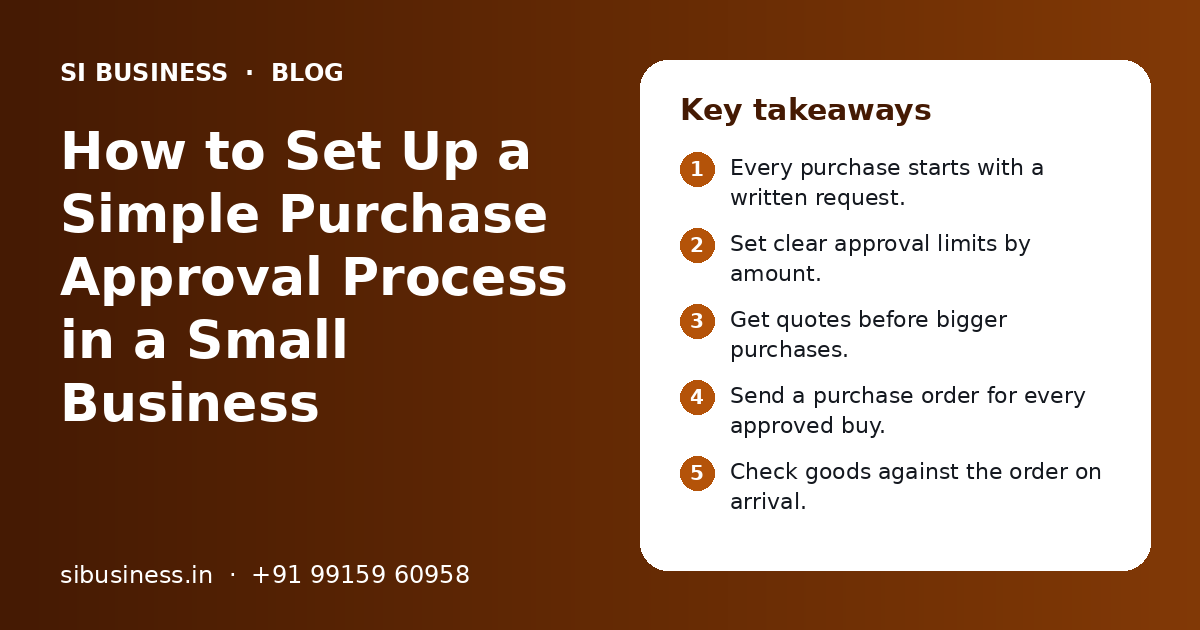
Key takeaways
- Every purchase starts with a written request.
- Set clear approval limits by amount.
- Get quotes before bigger purchases.
- Send a purchase order for every approved buy.
- Check goods against the order on arrival.
- Match order, receipt and bill before paying.
What is a purchase approval process for small business?
A purchase approval process for small business is a fixed set of steps that every purchase follows, from the first request to the final payment. It makes sure the right person agrees before money is spent.
In a small business, the owner often approves everything by phone. As the team grows, this breaks. Staff wait for replies, some buy without asking, and bills arrive for goods nobody ordered or at rates nobody agreed.
A simple process fixes this without slowing work down. Small buys move fast and big buys get a proper check. It lets the team act within clear limits, which helps you run the business without being present every day. It also sits next to your vendor management process, which covers how you choose and review suppliers.
What are the steps in a purchase approval process?
A simple purchase process has seven steps: request, approve, get quotes, issue a purchase order, receive goods, match the bill and pay. Small buys can skip the quote step, but every buy should leave a record.
- 1
Raise a purchase request
The person who needs the item fills a short request: what, how much, why, by when and the likely cost. This can be a form, a sheet row or a fixed WhatsApp format.
- 2
Get approval
The request goes to the right approver based on the amount. The approver says yes, no or asks a question, in writing.
- 3
Collect quotes
For bigger purchases, the purchase person gets quotes from more than one supplier and compares rate, quality, delivery time and payment terms.
- 4
Issue a purchase order
Send the chosen supplier a purchase order with item, quantity, rate, tax, delivery date, delivery address and payment terms.
- 5
Receive and check the goods
The store or site person checks the goods against the purchase order and records a goods receipt with the quantity received and any damage.
- 6
Match the bill
Accounts checks the supplier bill against the purchase order and the goods receipt. Rate, quantity and tax must match.
- 7
Pay and close
Pay on the agreed date, note the payment reference and mark the purchase as closed in your record.
Write these steps on one page and share them with every person who buys, receives or pays. Our SOP documentation service can turn this into a clear written SOP with forms and simple checklists.
What should a purchase request include?
A purchase request should say what is needed, how much, why, by when, the expected cost and who is asking. With this information, the approver can decide in a minute without a call.
| Field | What to write | Why it helps |
|---|---|---|
| Request number | A running number such as PR-101 | Easy to track and refer to |
| Requested by | Name and department or branch | Shows who needs it and who to ask |
| Item or service | Clear name, size, brand or specification | Avoids buying the wrong thing |
| Quantity | Number with unit, such as pieces, boxes or kilos | Stops over-buying |
| Reason | One line on why it is needed | Helps the approver judge the need |
| Needed by | Date | Shows urgency and helps plan the order |
| Expected cost | Rough amount or last purchase rate | Decides which approval level applies |
Keep the form short. If it takes more than two minutes to fill, people will skip it and go back to phone calls. For repeat items like stationery, packing material or spare parts, the request can come straight from a reorder level, as explained in our inventory management process guide.
How do you set approval limits for purchases?
Set approval limits by amount and by type of purchase, and write them down. Small routine buys can be approved by a team lead, while large, new or unusual purchases go to the owner.
Choose the amounts that fit your business size and cash flow. The table below shows a simple structure. Replace the levels with your own amounts.
| Type of purchase | Who approves | Quotes needed |
|---|---|---|
| Small routine buys below Level 1 | Team lead or branch in-charge | Not needed, use the usual supplier |
| Purchases between Level 1 and Level 2 | Manager or department head | At least two quotes |
| Purchases above Level 2 | Owner or director | At least three quotes |
| Capital items like machines, vehicles or computers | Owner | Three quotes and a written comparison |
| New supplier, any amount | Manager, after supplier details are checked | As per the amount |
| Emergency buys | Any manager, with owner informed the same day | Can be done after the purchase, with a note |
Simple rules that make approval limits work
- Do not allow one big purchase to be split into small ones to stay under a limit
- Name a backup approver for each level, for leave and travel
- Set a time limit for approval, such as the same working day for routine buys
- Review the limits once or twice a year as the business grows
A backup approver matters a lot. If only one person can approve, buying stops when that person is away. Our post on how to reduce dependence on key employees explains how to spread decisions safely.
Need help with your project?
Talk to the SI Business team. Free first call, simple advice, clear quote.
How many quotes should you get before buying?
Get two quotes for mid-size purchases and three quotes for large or one-time purchases. For small routine buys from a known supplier at a fixed rate, quotes are not needed.
Quotes are not only about the lowest price. A slightly higher rate with faster delivery and better credit terms can cost you less in the end.
- Same item and specification in every quote, so you compare like with like
- Rate per unit and total amount
- GST shown separately, with the GSTIN of the supplier
- Freight, loading and installation charges, if any
- Delivery time and delivery place
- Payment terms, such as advance, on delivery or credit days
Save quotes in one shared folder linked to the request number, so you can see the last rate when you buy again. For regular items, agree a fixed rate list with your main suppliers for a set period.
What should a purchase order include?
A purchase order should include your business details, the supplier details, a PO number, date, items, quantity, rate, tax, delivery date, delivery address and payment terms. It is the written agreement for that purchase.
- Your business name, address and GSTIN
- Supplier name, address and GSTIN
- PO number and date
- Item name and specification, quantity and unit
- Rate, discount, GST rate and total amount
- Delivery date and delivery address
- Payment terms and any advance
- Name of the person who approved the order
Ask the supplier to quote your PO number on the delivery challan and the bill. This one habit makes receiving and bill matching much faster. You can send the PO as a PDF on email or WhatsApp.
How should you receive goods and match bills?
When goods arrive, check them against the purchase order and record what was actually received. Before payment, match the supplier bill with the purchase order and the goods receipt. This is called three-way matching.
Receiving goods
The person at the store, godown or site should count the goods, check the item and size, look for damage and note the quantity received. Write this on a goods receipt note, or GRN. If goods are short or damaged, note it on the delivery challan and inform the purchase person the same day. Take photos of damaged items.
Three-way matching
| Check | Purchase order | Goods receipt | Supplier bill |
|---|---|---|---|
| Item | What you ordered | What arrived | What is billed |
| Quantity | Ordered quantity | Received quantity | Billed quantity |
| Rate | Agreed rate | Not checked here | Billed rate |
| Tax | Expected GST | Not checked here | GST on the bill |
| Result | All three must agree | Short or damaged goods noted | Pay only what matches |
If anything does not match, hold that part of the payment and ask the supplier for a corrected bill or a credit note. Make sure the supplier's GST details on the bill are correct, because your input tax credit depends on correct bills. Ask your CA how to handle any mismatch in your GST records. Our finance process automation page explains how bill matching and payment approvals can run with less manual checking.
Which simple tools can run a purchase approval process?
You can start with a shared sheet, a simple form and a fixed WhatsApp format. Move to purchase software or an automated workflow when volume grows, when you have many branches or when approvals keep getting stuck.
| Tool | Good for | Watch out for |
|---|---|---|
| Google Sheets or Excel register | One place to see every request, PO and status | Needs discipline to update every day |
| Google Forms or a simple online form | Clean, complete purchase requests | Approvals still need a separate step |
| WhatsApp group with a fixed format | Fast approvals from a phone | Messages get lost, so copy decisions into the register |
| Accounting or billing software | POs, GRNs and bills linked to stock and accounts | Staff need training and clear user rights |
| Workflow automation tool | Auto-routing by amount, reminders and full history | Set up only after the steps are clear on paper |
Start with sheets and forms when
- You have one location and a small team
- Purchases are a few each day
- The owner approves most large buys
Move to software when
- You have many branches or sites
- Approvals wait for days
- Bills often do not match orders
- You need clear reports on spend by supplier
Whatever tool you use, fix the steps first. A tool only speeds up a process that already works. Our workflow automation service can route requests to the right approver, send reminders and keep a full record. If your team already works on WhatsApp, see how to organise it in our WhatsApp Business operations guide.
What mistakes should you avoid in purchase approvals?
The common mistakes are too many approval levels, no backup approver, paying bills without checking receipts and not tracking spend. Keep the process light for small buys and strict for large ones.
- Do not make every small purchase go to the owner
- Do not approve verbally without a written record
- Do not pay a bill before the goods receipt is checked
- Do not give one person the power to request, approve, receive and pay
- Do not let advance payments go out without a purchase order
- Do not ignore pending orders that were never delivered
Review your purchase numbers every month: total spend by category, top suppliers, pending orders, bills on hold and approvals that took too long. A simple KPI dashboard for owners can show these on one screen. Spend reports often point to easy savings, which is part of our cost reduction through automation work.
SI Business is powered by Shivah Web Tech, with 11+ years of experience and 500+ projects. We help owners and operations heads set up clear processes, starting with simple sheets and moving to software only when needed. To set up a purchase approval process for your business, book a free call. You get a clear quote after a free call.
Frequently Asked Questions
Who should approve purchases in a small company?
Set approval limits by amount. A team lead can approve small routine buys, a manager can approve mid-size purchases and the owner approves large, new or unusual ones. Name a backup approver for each level so buying does not stop when someone is on leave. Write the limits down and share them with the team.
How do I decide the right approval limit amounts?
Look at your last few months of purchases. See which buys are small and routine, which are medium and which are large. Set Level 1 so routine buys move fast, and Level 2 so only a few purchases reach the owner. Review the limits once or twice a year as your business and cash flow grow.
Is a purchase order needed for small purchases?
Not always. For small routine buys from a known supplier at a fixed rate, a request and a bill can be enough. For larger purchases, new suppliers, advance payments and anything with a delivery date, always send a written purchase order. It becomes the reference for checking the goods and the bill.
What is three-way matching in simple words?
Three-way matching means checking three documents before you pay a supplier: the purchase order, the goods receipt and the supplier bill. The item, quantity, rate and tax should agree across all three. If something does not match, you hold that part of the payment until the supplier sends a correction or a credit note.
Can I run purchase approvals on WhatsApp?
Yes, many small businesses do. Use a fixed message format with item, quantity, cost, reason and needed-by date, and a separate group for approvals. The risk is that messages get lost in long chats. Copy every approval into a shared register with a request number, so you always have one clear record.
When should a small business move to purchase software?
Move to software when you have many branches or sites, many purchases each day, approvals that keep getting stuck, or bills that often do not match orders. Before that, a sheet, a form and clear rules are usually enough. Set up the steps on paper first, so the software follows a process your team already uses.