Quick answer
How can a small business reduce dependence on key employees?
To reduce dependence on key employees, first list the work and knowledge that only one person holds. Then write short SOPs for that work, cross-train a backup person for each critical role, move logins and files to business-owned accounts, and plan handovers early. Test the backups with planned leave, before a real gap shows the weak spots.
Key takeaways
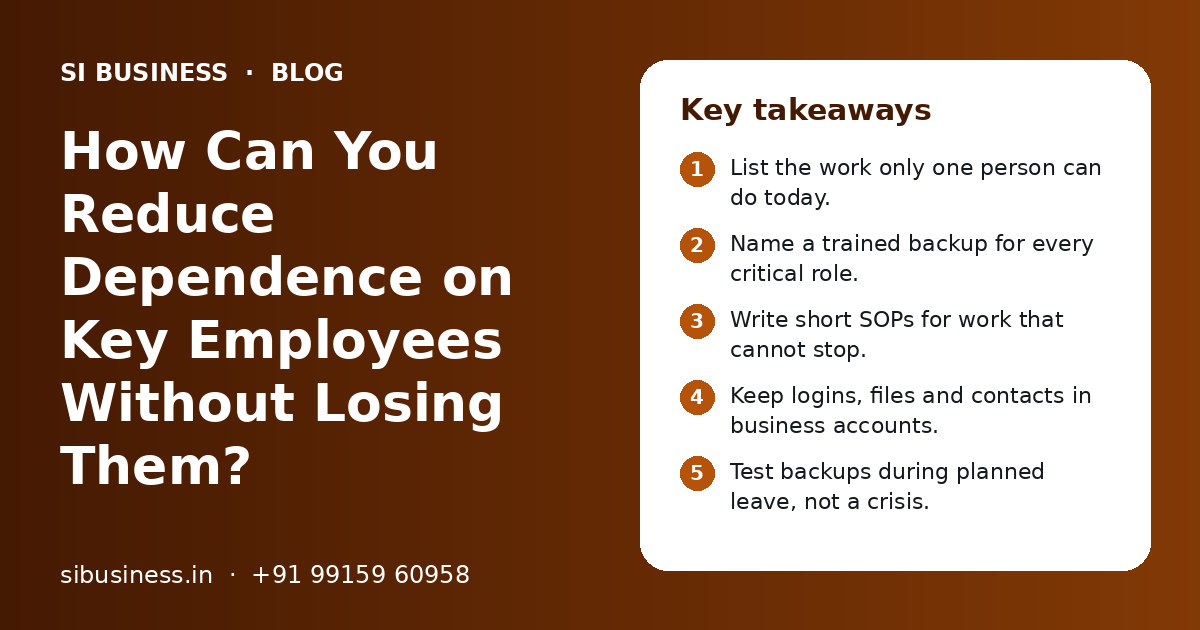
- List the work only one person can do today.
- Name a trained backup for every critical role.
- Write short SOPs for work that cannot stop.
- Keep logins, files and contacts in business accounts.
- Test backups during planned leave, not a crisis.
- Plan exits with a written handover, not a rush.
What does it mean to depend too much on key employees?
It means some important work can only be done by one person, so the business slows or stops when that person is away. This is called key person risk.
Key people are usually your best staff. Over the years, more work flows to them, because it is quicker than teaching someone else. Slowly, they become a single point of failure. The aim is not to replace them. The aim is to reduce dependence on key employees so the business is safe and they can take proper leave.
This is different from owner dependence. If the problem is that every decision waits for you, the owner, read our post on how to run a business without the owner. This post is about staff below the owner.
How do you know your business depends on one or two people?
If work waits when a certain person is on leave, or if only one person knows a password, a process or a customer, you have key person risk. A short check makes it visible.
- Only one person can file GST returns, run payroll or reconcile the bank
- Only one person knows how to set up or repair a key machine
- Big customers call one sales person's mobile, not the business number
- Vendor rates and terms are in one person's head or WhatsApp chat
- Software, domain or bank logins are on one employee's email or phone
- Leave requests from one person are refused because no one can cover
- New staff learn only by sitting next to one senior person
If three or more of these are true, treat this as a business risk, not a staff matter. It belongs on the same list as fire, theft and data loss. Our guide to business continuity planning explains how key person risk fits into a wider plan.
Why does too much dependence on one person happen?
It happens slowly, because giving work to the person who already knows it is always the fastest choice on a busy day. Nobody plans it. It grows from habit.
| Cause | What you see | What helps |
|---|---|---|
| Knowledge in one head | Others must ask the same person every time | Short written SOPs and notes |
| No time to teach | Senior staff do the work themselves to save time | Planned cross-training time each week |
| Personal accounts used for work | Logins, chats and files sit on a staff phone | Business-owned email, numbers and storage |
| No backup named | Everyone assumes someone else will cover | A written backup for each critical role |
| Fear of losing value | Key staff keep knowledge to feel safe | Reward teaching and give growth paths |
| Late handovers | Exit notice is short and the handover is rushed | A standard handover checklist used every time |
Most of these are system gaps. Fixing them needs a clear list and steady follow-up, not big software.
How to reduce dependence on key employees, step by step
Start by mapping who holds what, rank the risks, then write things down, train backups and move access to the business. Work on the highest risk first.
- 1
Map critical work and knowledge
For each team, list the tasks that cannot stop for more than a day or two. Next to each task, write who can do it today. Mark tasks with only one name.
- 2
Rank the risks
For each single-name task, ask two questions. What happens if this person is away for two weeks? How likely is that this year? Start with tasks that have high impact.
- 3
Record how the work is done
Ask the key person to explain the task while someone writes or records it. Turn it into a short SOP with steps, tools, deadlines and common problems.
- 4
Name and train a backup
Pick one person for each critical task. Let them watch first, then do the task while the key person watches, then do it alone.
- 5
Move access to the business
Shift logins, files, customer chats and vendor contacts to accounts the business owns. Keep a record of who has access to what.
- 6
Test with planned leave
Give the key person a few days of planned leave. Let the backup run the work. Note every call or gap and fix it.
- 7
Review every few months
Roles change and people join or leave. Check the map again on a fixed date and update SOPs and backups.
If mapping all work feels too big, an operations audit can do the first two steps with you and show where single-person risk is highest.
How do you cross-train staff without slowing down daily work?
Cross-train in small, planned blocks, such as one or two hours a week per backup, and use real work instead of classroom sessions. Slow and steady works better than one long training day.
Use the watch, do, own method
First, the backup watches the key person do the task and takes notes. Next, the backup does the task while the key person watches and corrects. Finally, the backup does the task alone, on a set day each month, and the key person only checks the result. This keeps the skill fresh.
Pick the right backup
The best backup already works close to the task. Do not give all backup roles to one person, or you create a new key person.
| Role | Work to cross-train first | Possible backup |
|---|---|---|
| Accountant | Bank entries, GST data, vendor payments | Accounts assistant or outside CA support |
| Sales lead | Quotations, key customer follow-ups | Second sales person or sales coordinator |
| Production supervisor | Machine set-up, daily plan, quality checks | Senior operator |
| Store keeper | Stock entries, dispatch, reorder levels | Dispatch staff member |
Put cross-training in the weekly plan so it is not dropped in busy weeks.
Need help with your project?
Talk to the SI Business team. Free first call, simple advice, clear quote.
What should you write down so knowledge is not lost?
Write down the steps for critical tasks, the contacts and terms for key customers and vendors, and where every file and login lives. Short notes that people use are better than long manuals nobody opens.
- Step-by-step SOPs for tasks that cannot stop
- A list of key customers with contact person, terms and history
- Vendor list with rates, payment terms and backup suppliers
- Machine settings, service contacts and common faults
- Monthly and yearly deadlines, such as GST, TDS and licence renewals
- Where files are stored and who has access
Short screen recordings and voice notes in Hindi, Punjabi or any language your team uses are fine. What matters is that the next person can follow them. Our SOP documentation service helps teams turn this kind of knowledge into clear, short documents.
Customer and vendor details should sit in a shared system, not a personal phone. A simple CRM for the sales process keeps every call, quote and follow-up visible to the team. A clear vendor management process does the same for suppliers.
How should you handle shared logins and business accounts?
Every login the business needs should belong to a business email or number, with the owner or a trusted second person able to recover it. No critical access should depend on one employee's personal phone.
This is a common gap in Indian small businesses. The GST portal, bank, domain or software account was set up years ago by one employee, using their own email or mobile number for the OTP. When that person leaves, getting access back can take a long time.
- Make a list of every portal, software, bank and online account the business uses
- Note the email and mobile number linked to each one
- Move recovery details to business-owned email and numbers
- Use a password manager with shared access instead of notebooks or chats
- Give each person their own login where the system allows it
- Remove access on the same day a person leaves
- Keep customer chats on a shared business number, not a personal one
For customer chats, our page on WhatsApp business operations explains how a shared business number with labels and team routing keeps conversations with the business, not with one person.
How do you plan a smooth handover when a key person leaves?
Use a standard handover checklist, start it on the first day of the notice period, and make the backup do the work while the leaving person is still there to answer questions.
- 1
Agree the handover plan on day one
List every task, account and contact the person handles. Name who takes over each one and set dates.
- 2
Update SOPs and notes
Ask the person to check and update the written steps for their tasks. Fill any gaps while they are still there.
- 3
Shadow in reverse
Let the new owner do the work while the leaving person watches and corrects, for at least one full cycle where possible.
- 4
Introduce contacts
Key customers and vendors should hear from both people, so the relationship moves with the business.
- 5
Transfer and close access
Move every account, file and chat group to the new owner. Remove the leaving person's access on the last day.
A tool for HR process automation can hold the exit checklist and remind each person of their part, so nothing is missed during a busy notice period.
What mistakes should you avoid?
The biggest mistakes are waiting for a resignation before acting, making key staff feel replaced, and writing SOPs that nobody tests. Each one leaves the risk in place.
Do this
- Explain that the goal is safety and growth, not replacement
- Thank and reward key people for teaching others
- Test backups with planned leave every few months
- Keep SOPs short and update them after changes
Avoid this
- Starting only after someone gives notice
- Giving every backup role to the same person
- Leaving business logins on personal phones
- Writing long manuals that are never used
Also avoid treating this as a one-time project. Track one simple number: how many critical tasks still have only one trained person. A KPI dashboard for business owners can show this next to your other weekly numbers.
How can SI Business help?
We help you find single-person risks, write the missing SOPs, set up backups and move access into business-owned systems, step by step and with your team.
Risk mapping
We list critical tasks and show where only one person can do the work.
SOPs and notes
We sit with key staff and turn their know-how into short, usable steps.
Backup plan
We help you name backups and plan cross-training that fits busy weeks.
Access and tools
We help move logins, chats and records to shared business systems.
SI Business is powered by Shivah Web Tech, with 11+ years of work, a 25+ in-house team and 500+ projects, from our office in Mohali, Punjab. We work with businesses in India and abroad. We do not publish fixed prices. You get a clear quote after a free call, based on the number of teams, roles and processes. Book a free call to start.
Frequently Asked Questions
What is key person risk in a small business?
Key person risk is the chance that your business loses time, money or customers because one employee holds knowledge, skills, contacts or logins that nobody else has. If that person is on leave, falls sick or resigns, work slows or stops. It is common in small Indian businesses, where trusted staff take on more work over many years.
What should I do first if a key employee resigns suddenly?
First, list every task, account and contact they handle. Then check that the business can access every login and file. Next, name who takes over each task and ask the leaving person to train them during the notice period. Ask them to update any written steps. Finally, introduce key customers and vendors to the new contact person.
Will cross-training make my key employees feel insecure?
It can, if it is not explained well. Tell them the goal is to protect the business and to free them for bigger work and proper leave. Involve them as the teacher and recognise that effort. Many key people are happy to stop getting calls on every holiday. Being open about the reason usually makes the change smoother.
How many backup people does each role need?
For most small businesses, one trained backup for each critical role is a good start. For work that must never stop, such as dispatch, payroll or customer support in peak season, two people who can do the work is safer. Spread backup roles across the team, so you do not create a new single point of failure.
How long does it take to reduce dependence on key employees?
It depends on how many critical roles you have and how much is written down today. Mapping the risks can be quick. Writing SOPs and training backups usually happens in stages, one role at a time, over a few months. Start with the highest-risk role, then move on once the backup has worked alone during planned leave.
Should business passwords be shared with staff?
Staff should get the access they need, but in a controlled way. Give each person their own login where the system allows it. Where an account must be shared, use a password manager with shared access, not chats or notebooks. Keep the recovery email and mobile number on business-owned accounts, and remove access when someone leaves.