Quick answer
What should a store opening and closing checklist include?
A store opening and closing checklist should include a cash float check, a working check of the billing counter and UPI scanner, a quick stock and display check, cleaning and safety checks at opening. At closing it should cover a cash count, UPI and card settlement match, stock notes, locking up and a signed handover.
Key takeaways
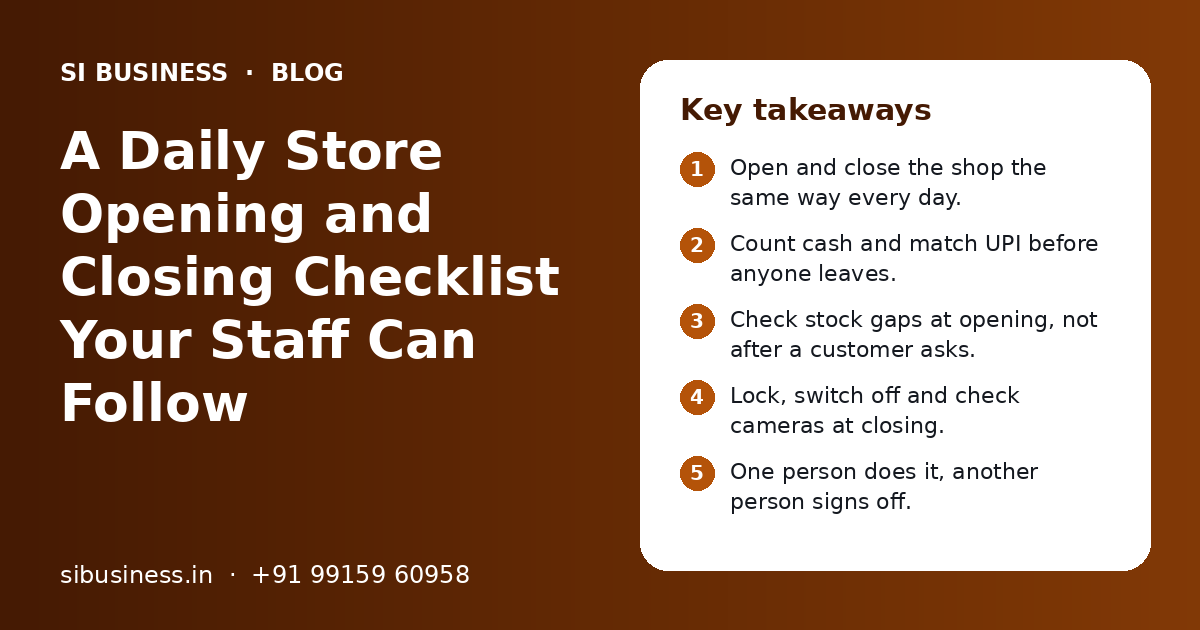
- Open and close the shop the same way every day.
- Count cash and match UPI before anyone leaves.
- Check stock gaps at opening, not after a customer asks.
- Lock, switch off and check cameras at closing.
- One person does it, another person signs off.
- Keep the signed sheets for at least a few months.
What is a store opening and closing checklist?
A store opening and closing checklist is a short list of tasks your staff complete at the start and end of every working day. It makes sure cash, payments, stock, cleaning and security are checked the same way, every day, by a named person.
Many shops in India run on habit. This works until a key person is on leave. Then the till is short, the UPI total does not match, or the back door stays open all night.
A written checklist removes this risk. It also helps new staff learn the routine in a few days. It is one of the simplest forms of SOP documentation, and it costs almost nothing to start.
Why does a shop need a daily opening and closing routine?
A shop needs a daily routine because most cash gaps, stock losses and security problems happen at the start or end of the day. A fixed routine finds these problems the same day, while they are still easy to trace.
- Cash shortages are found today, not at the end of the month.
- UPI payments that did not reach the account are caught quickly.
- Empty shelves and missing sizes are filled before customers ask.
- The shop looks clean and ready when the first customer walks in.
- Locks, lights and electric points are checked before leaving.
If you run more than one shop, the same checklist lets you compare branches fairly. Our page on multi-branch operations explains how to keep every outlet on one routine.
What should you check when you open the store?
At opening, check the cash float, the billing system, the payment devices, stock on display, cleanliness and safety. Do these before the shutter is fully up and the first customer comes in.
Opening checklist
- Check that the shutter, locks and alarm were not disturbed overnight
- Count the cash float in the till and write the amount
- Start the billing computer or POS and check the date is correct
- Check that the printer has paper and prints a test bill
- Check the UPI QR stand is in place and the soundbox or app alerts work
- Check the card machine is charged and connected
- Walk the floor: fill empty shelves, fix price tags, check fast sellers
- Read yesterday's closing notes and pending deliveries
- Sweep, dust the counter and clean the glass door and trial room
- Check the fire extinguisher is in place and exits are clear
- Check CCTV cameras are recording
Fast sellers matter most. If a popular item is out of stock at opening, write it down and tell the person who orders stock. Our guide on the inventory management process shows how to turn these daily notes into a proper reorder routine.
What should you check before you close the store?
Before closing, count the cash, match UPI and card totals with the billing report, note stock issues, clean up and secure the shop. Do not let the counter person leave until the cash and payment match is signed.
Closing checklist
- Stop billing at a fixed time and print the day-end report
- Count cash by notes and coins and write the total
- Remove the opening float and keep it ready for tomorrow
- Match cash, UPI and card totals with the billing report
- Note any refunds, returns, credit sales or cancelled bills
- Put extra cash in the safe or prepare the bank deposit
- Write stock issues: damaged items, low stock, items kept aside for customers
- Switch off AC, lights, signboard, computers and other plug points as per your rule
- Lock the back door, store room, cash drawer and safe
- Check CCTV is still recording and set the alarm
- Close the shutter, check the lock and sign the closing sheet
How do you do the daily cash count and UPI settlement check?
Count the cash, then compare cash, UPI and card totals with the billing report for the day. Any difference should be written down with a reason before the shop closes.
- 1
Freeze billing
Fix a closing time for billing. After that, any late sale goes into the next day or is billed with the manager's approval.
- 2
Print the day-end report
Take the report from your billing software that splits sales by cash, UPI, card and credit.
- 3
Count the cash
Count notes and coins by type. Write the count on the cash sheet. Subtract the opening float.
- 4
Check UPI receipts
Open the UPI merchant app or bank app and check the total received for the day. Look for any payment shown by a customer as a screenshot but not received in the account.
- 5
Check card settlement
Run the settlement on the card machine, if your machine needs it, and compare the slip total with the billing report.
- 6
Write the difference
If cash is short or extra, or a UPI payment is missing, write the amount and the likely reason. Do not adjust the next day's numbers to hide it.
- 7
Sign and store
The counter person signs. The manager or owner checks and countersigns. The sheet goes into a file or a photo goes to the owner on WhatsApp.
| Item | From billing report | Actual | Difference | Reason |
|---|---|---|---|---|
| Cash | As per report | Counted cash minus float | Write amount | Wrong change, missed bill, refund |
| UPI | As per report | Total in merchant or bank app | Write amount | Screenshot not received, wrong QR |
| Card | As per report | Card machine settlement slip | Write amount | Failed payment, bill not made |
| Credit sales | As per report | Credit book or customer ledger | Write amount | Not entered in ledger |
Over time, you can automate part of this match. Our finance process automation work helps shops pull sales and payment totals into one simple daily report.
Need help with your project?
Talk to the SI Business team. Free first call, simple advice, clear quote.
Who should open the store, who should close it and who signs off?
One named person should open and one named person should close, with a second person signing off on cash and keys. The person who counts cash should not be the only person who checks it.
| Task | Who does it | Who signs off |
|---|---|---|
| Unlock and opening walk | Store manager or senior staff on roster | Owner, on the opening photo or sheet |
| Opening cash float | Cashier | Store manager |
| Display and stock check | Floor staff by section | Store manager |
| Cleaning | Housekeeping or floor staff | Store manager |
| Day-end cash and UPI match | Cashier | Store manager or owner |
| Locking and alarm | Store manager | Second staff member present at closing |
| Handover notes | Closing manager | Opening manager the next day |
Use a roster
Make a weekly roster that shows who opens and who closes each day. Put it on the staff notice board and in the staff WhatsApp group. Then there is no confusion when someone is on leave.
What should go into the end-of-day handover?
The handover should tell the next opener what is pending: deliveries, customer promises, low stock, repairs and any cash or payment difference. It should be short and written, not only spoken.
- Customer orders to be delivered or picked up tomorrow
- Items kept aside for customers, with name and phone number
- Alterations, repairs or service jobs that are due
- Stock that ran out today or is very low
- Supplier deliveries expected tomorrow
- Any cash shortage or missing UPI payment still being checked
- Any broken light, AC, printer or card machine
Many shops send this handover as one message in a staff WhatsApp group. That is fine, as long as the format is the same every day. Keep staff chats separate from customer chats. Our page on WhatsApp business operations explains how. Clear handovers about customer promises are a quiet part of customer experience.
Paper checklist or app: which works better for a shop?
A printed sheet works well for one small shop and is the easiest way to start. An app or shared form works better when you have several branches, many staff or want the owner to see results from anywhere.
Printed paper sheet
- Very quick to start
- No phone, internet or login needed
- Easy for every staff member to use
- Physical signatures on cash counts
App or digital form
- Needs a phone and some training
- Owner can see each branch from anywhere
- Time stamps and photos prove when tasks were done
- Missed checklists can trigger a reminder
A simple middle path is a printed sheet, with a photo of it sent to the owner every night. Closing numbers can then feed a weekly KPI dashboard for business owners.
What mistakes should you avoid with shop checklists?
The biggest mistakes are making the list too long, ticking boxes without checking, letting one person count and check cash alone, and never reviewing the sheets. Each of these turns the checklist into paperwork.
- Writing 50 items when 12 good ones would do.
- Ticking all boxes at once at the end of the day.
- Letting the cashier count, match and sign cash alone.
- Accepting UPI screenshots without checking the account.
- Not writing small cash differences because they look minor.
- Not changing the list when the shop layout or systems change.
- Owners never reading the sheets, so staff stop taking them seriously.
If the same issue shows up on the sheet again and again, such as a short cash count on busy days, it is a process problem. An operations audit can find the root cause and fix the step behind it. You may also like our guide on how to run a daily team huddle, which fits well right after opening.
How can SI Business help you set up a store routine?
We study how your shop opens and closes today, write a short checklist that fits your layout and staff, set clear sign-off roles and, if you want, move it to a simple digital form with owner reports.
Routine design
Opening and closing lists that fit your shop size, timings and staff.
Cash and UPI match
A clear day-end sheet that compares billing, cash, UPI and card totals.
Roles and roster
Who opens, who closes, who signs and who holds the keys.
Digital checklist
A phone form with photos, time stamps and a nightly owner summary.
SI Business is powered by Shivah Web Tech, with 11+ years of experience, a 25+ in-house team and 500+ projects, working from our office in Mohali, Punjab. We work with shops, showrooms and retail chains in India and abroad. We do not publish fixed prices. You get a clear quote after a free call, based on the number of outlets and staff. Book a free call to get started.
Frequently Asked Questions
How long should a shop opening checklist take?
For a small shop, opening checks usually take 10 to 20 minutes. A large showroom may need longer and more people. Start the routine before the shop opens to customers, so the counter, payments and displays are ready. If the list takes too long, split it by area so each staff member owns one part.
Who should count the cash at closing time?
The cashier or counter person should count the cash, and a second person, usually the store manager or owner, should check and sign it. One person counting and checking alone leaves no proof if there is a difference later. Two signatures protect both the business and honest staff.
How do I check UPI payments at the end of the day?
Open your UPI merchant app or bank app and see the total received for the day. Compare it with the UPI total in your billing report. If they do not match, look for bills where a customer showed a screenshot, wrong QR codes or failed payments. Write the difference and the reason on the closing sheet.
What should I do if the cash is short at closing?
Write the exact amount on the closing sheet first. Then check for missed bills, wrong change, refunds without a bill and payments marked in the wrong mode. Do not adjust the next day's cash to cover it. If shortages repeat, look at the counter process, not only the person on duty.
Is a paper checklist good enough for a small shop?
Yes, a printed checklist is a good start for a single small shop. It is quick, needs no training and gives you signatures. Ask the closing person to send a photo of the signed sheet to the owner every night. Move to a digital form later if you open more branches.
How often should I update the store checklist?
Review it every few months, and whenever something changes in the shop, such as a new billing system, a new card machine, new staff roles or a new layout. Remove checks that no longer matter and add any step that caused a problem recently. Keep the list short so staff actually follow it.
What security checks should a shop do at night?
At night, lock the cash drawer, safe, store room and back door. Switch off electric points as per your rule. Check that CCTV is recording and that the alarm is set. Close the shutter and test the lock. Keep a record of who holds keys and change alarm codes when staff leave.