Quick answer
How do you plan staff shifts in a small business?
To plan staff shifts in a small business, first list your busy and quiet hours. Then decide how many people and which skills each hour needs. Build a weekly roster in a shared sheet, plan leave and overtime in advance, share it early on WhatsApp, and use a short handover note at every shift change.
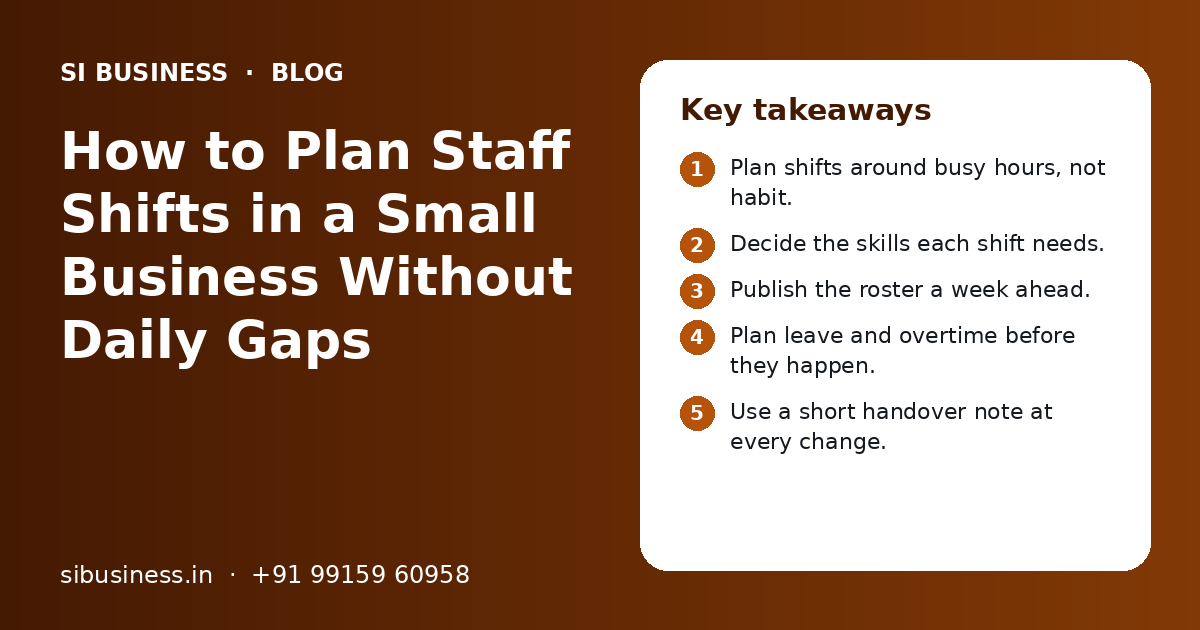
Key takeaways
- Plan shifts around busy hours, not habit.
- Decide the skills each shift needs.
- Publish the roster a week ahead.
- Plan leave and overtime before they happen.
- Use a short handover note at every change.
- Review the roster every month.
Why should a small business plan staff shifts properly?
Proper shift planning puts enough people, with the right skills, at work when customers need them. It also stops last-minute calls, unfair duty and staff burnout.
Without a plan, the same problems come back every week. The shop is crowded at 7 pm but two people are on break. One good worker always gets the late shift. Customers wait, staff feel it is unfair, and the owner spends hours on calls fixing gaps.
A clear roster fixes most of this. It is also a key part of business process optimization, because a good process still fails if the right person is not there to run it.
How do you find your peak hours before planning shifts?
Look at your own records for two to four weeks and mark the hours with the most customers, orders or work. Plan more people for those hours and fewer for the quiet ones.
You do not need special software for this. Use billing or POS records, appointment books, order times or dispatch plans you already have.
Make a simple grid with days across the top and hours down the side. Mark each hour as busy, normal or quiet. Patterns show up fast. Weekends, evenings, salary days, festival weeks and the start of the month are common busy times for many Indian businesses.
| Business type | Typical busy times to check | What to plan for |
|---|---|---|
| Retail shop or showroom | Evenings, weekends, festival season | More counter and billing staff, fewer breaks in the rush |
| Clinic or diagnostic centre | Morning OPD, early evening | Front desk and sample staff before doctors start |
| Restaurant or cafe | Lunch, dinner, weekend nights | Kitchen and service staff overlap at peak meal times |
| Small factory or workshop | Order deadlines, dispatch days | Skilled operators on key machines, a supervisor on every shift |
| Service office | Start of week, month-end | Senior staff available for urgent client work |
If you already track a few daily numbers, a simple KPI dashboard for owners can show busy hours each week without extra work.
How many staff and which skills does each shift need?
For each shift, write the minimum number of people and the roles that must be covered. A shift is not covered just because the headcount is right. It needs the right skills too.
Start with roles, not names. For example, a restaurant dinner shift may need one cook, one helper, two servers and one cashier. A clinic morning shift may need one receptionist, one nurse and one person for billing.
Make a simple skills list
Next, make a list of each staff member and what they can do. Mark who can open the shop, who can handle cash, who can run a certain machine and who can talk to customers in the local language. This list helps you avoid a shift where no one can do a key task.
How to plan staff shifts in a small business, step by step
Build the roster in a fixed order: hours, needs, people, leave, then share and review. Doing it in the same order each week makes it fast and fair.
- 1
Fix your working hours and shift times
Write your opening and closing times. Then decide your shift pattern, such as a morning and an evening shift, or one general shift with a split for the rush.
- 2
Mark busy and quiet hours
Use your hourly grid. Plan an overlap of shifts in the busiest hours so the rush is covered when one shift ends and another begins.
- 3
Set minimum cover for each shift
Write the roles and number of people each shift needs. Include one person who can open or close and one who can handle cash.
- 4
Add approved leave and weekly offs first
Before you put names in, mark known leave, weekly offs and festival leave. This stops you from planning a person who will not be there.
- 5
Fill in names fairly
Rotate late shifts, weekend shifts and holiday duty so the same people do not always get them. Keep a count of who did what last month.
- 6
Check for gaps and too many hours
Scan each day for missing roles, shifts with no senior person, or staff with too many long days in a row.
- 7
Share the roster early
Send it to the team at least a few days before the week starts. Ask everyone to confirm they have seen it.
- 8
Review at the end of the week
Note what went wrong, such as a gap or a slow hour with too many people, and fix it in next week's plan.
Once these steps are written down as a short standard process, anyone in charge can make the roster, not just the owner. Our SOP documentation service helps you write such steps in plain words.
How do you plan leave, weekly offs and overtime in the roster?
Plan leave and overtime before they happen, not on the day. Have a simple rule for asking leave, a cut-off date for changes, and a clear way to approve extra hours.
Leave and weekly offs
- Ask staff to request planned leave at least a week ahead
- Set a limit on how many people from one role can be on leave at the same time
- Plan festival and wedding season leave early, as many staff may ask for the same dates
- Keep one or two trained people who can cover more than one role
Overtime and extra hours
Overtime should be a planned choice, not a habit. If the same shift needs overtime every week, it is short of people or the work is badly arranged. Approve overtime in writing, even on WhatsApp, and record the hours the same day.
Rules on working hours, weekly rest, overtime pay and night shifts differ by state and by type of business. Check the labour rules that apply to your business, or ask your CA or a labour law adviser, before you set your shift pattern.
If leave requests, attendance and overtime approvals still happen on paper, HR process automation can move them to simple online forms with approvals and auto-updated records.
Need help with your project?
Talk to the SI Business team. Free first call, simple advice, clear quote.
Shared sheet, WhatsApp group or shift app: which tool should you use?
For most small teams, a shared sheet for the roster and a WhatsApp group for updates is enough. Move to a shift or HR app when you have many staff, several branches or complex pay rules.
| Point | Shared sheet (Google Sheets or Excel) | WhatsApp group | Shift or HR app |
|---|---|---|---|
| Best use | Making and storing the roster | Sharing the roster and quick changes | Rosters, attendance, leave and overtime in one place |
| Setup effort | Low | Very low | Medium |
| Who can edit | Only people you allow | Anyone can post | Controlled by roles |
| Change history | Version history in online sheets | Lost in long chats | Usually tracked |
| Leave and overtime | Manual columns | Requests by message | Built-in requests and approvals |
| Good for | Small teams of one location | Daily alerts and swaps | Bigger teams or many branches |
Why start with a sheet and WhatsApp
- Staff already use both every day
- No training or new logins needed
- Easy to change the format as you learn
Where they fall short
- Changes in chat get missed or forgotten
- No automatic check for gaps or long hours
- Hard to link with attendance and payroll
A good middle step is to keep the roster in one sheet, pin the link in the group and post only changes in the chat. Our page on WhatsApp business operations shows how to keep team groups clean and useful.
How do you run a clean shift handover?
A clean handover means the outgoing person tells the incoming person what is pending, what is urgent and what went wrong. Use the same short checklist every time, written or on WhatsApp.
- Pending orders, appointments or jobs, with times
- Promises made to customers that the next shift must keep
- Cash count and any difference, signed or confirmed
- Stock that is low or items that ran out
- Equipment or machine problems
- Safety or quality issues during the shift
- Messages from the owner or manager
In a factory or kitchen, do the handover face to face for a few minutes when shifts overlap. In a shop or clinic, a short written note in a fixed format also works. A short huddle at the start of each shift helps too. See our guide on how to run a daily team huddle.
What should a simple weekly shift roster look like?
A simple weekly roster shows days across the top, staff names down the side, and the shift code in each cell. Add a short key and a column for leave notes.
| Staff | Mon | Tue | Wed | Thu | Fri | Sat | Sun |
|---|---|---|---|---|---|---|---|
| Staff A | M | M | E | E | Off | M | E |
| Staff B | E | E | Off | M | M | E | M |
| Staff C | M | Off | M | M | E | E | E |
| Staff D | Off | E | E | E | M | M | Off |
Key: M = morning shift, E = evening shift, Off = weekly off. You can add codes such as L for leave, G for general shift or S for a split shift.
What shift planning mistakes should small businesses avoid?
The most common mistakes are planning at the last minute, ignoring busy hours, and letting changes happen only in chat. Each one causes gaps and arguments.
- Making the roster on the day or the night before
- Planning the same number of people for every hour
- Giving the hard shifts to the same people every week
- Allowing shift swaps without the manager knowing
- Having no one on a shift who can open, close or handle cash
- Using overtime to cover a shift that is always short
A monthly look back fixes most of these. Compare the roster with attendance, sales or patient numbers. If one hour is always short or always idle, change it. For a wider look at where your daily work slows down, an operations audit is a good next step.
How can SI Business help you plan staff shifts?
We help you set up a simple shift planning process that fits your business, from the roster format to leave rules, handovers and, where useful, automation.
SI Business is powered by Shivah Web Tech, a team with 11+ years of work and 500+ projects. We can study your busy hours, set up a shared roster, write the handover checklist and link leave and attendance with payroll inputs. If you run more than one location, we also help with multi-branch operations so every branch plans shifts the same way.
We start with a free call to understand your team size, shift times and current tools. You get a clear quote after the free call. To talk to us, visit our contact page.
Frequently Asked Questions
What is the easiest way to make a staff roster for a small shop?
The easiest way is a shared online sheet. Put days across the top and staff names down the side, and write a shift code in each cell. Mark weekly offs and leave first. Then share a view-only link in your staff WhatsApp group and post only changes in the chat. This works well for small teams in one location.
How far in advance should I share the shift roster?
Try to share the roster at least a few days before the week starts, and a week ahead if you can. This gives staff time to plan travel, family needs and leave. It also gives you time to fix gaps. Set a cut-off day after which changes need the manager's approval.
How do I plan shifts for peak hours in a restaurant?
Look at your bills or orders by hour for a few weeks and find the lunch and dinner peaks. Plan shifts so that two shifts overlap during the rush, with extra kitchen and service staff. Avoid breaks during peak hours. Keep fewer people in the quiet hours between meals, and use that time for prep and cleaning.
Is overtime a good way to cover staff shortages?
Overtime is fine now and then, for a busy week or a sudden leave. It is not a good long-term fix. If one shift needs overtime every week, it is short of people or the work needs better planning. Long hours also tire staff and raise mistakes. Check the labour rules for your business on overtime and pay.
What should a shift handover note include?
A good handover note includes pending orders or jobs, promises made to customers, the cash count and any difference, low stock, equipment problems, safety or quality issues and any message from the manager. Keep it short and use the same format every time, so the next shift can read it in a minute or two.
When should a small business move from a sheet to shift planning software?
Think about software when you have many staff, more than one branch, frequent swaps, or complex rules for overtime and allowances. Software helps when the sheet takes hours to update or when attendance, leave and payroll do not match. For a small team in one place, a well-kept sheet is often enough.