Quick answer
How can a restaurant reduce order delays in the kitchen?
To reduce order delays in a restaurant kitchen, first measure where orders wait: order taking, KOT, prep, cooking, packing or pickup. Then fix the biggest delay with a clear KOT flow, a daily prep list, fixed station roles, a simpler menu at rush hours and one person for delivery app orders. Track ticket times every week.
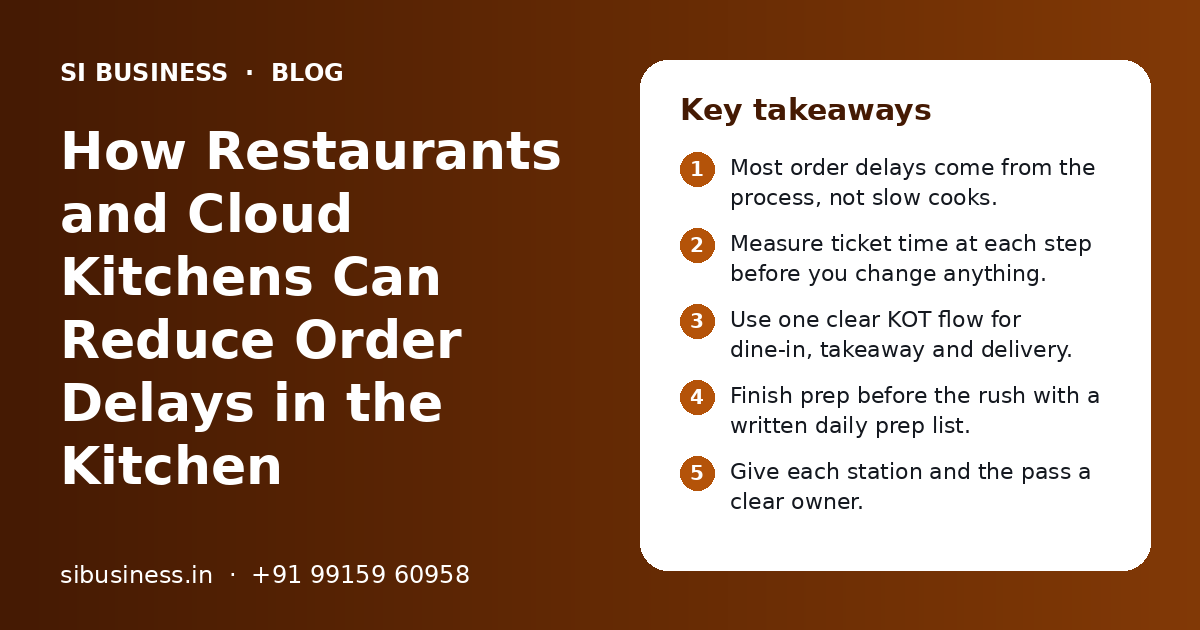
Key takeaways
- Most order delays come from the process, not slow cooks.
- Measure ticket time at each step before you change anything.
- Use one clear KOT flow for dine-in, takeaway and delivery.
- Finish prep before the rush with a written daily prep list.
- Give each station and the pass a clear owner.
- Review a few simple numbers every week and adjust.
Why do orders get delayed in a restaurant kitchen?
Orders get delayed mainly because tickets reach the kitchen late or unclear, prep is not ready before the rush, and nobody controls the order in which dishes are cooked and sent out. These are process problems, so most of them can be fixed without hiring more cooks.
Owners often blame the chef. In practice, a dish waits in many places. A waiter holds the order for a few minutes. The KOT prints at the wrong station. The cook waits for chopped onions. The packed bag waits for a rider.
- Waiters write orders on paper and walk them to the kitchen late
- KOTs are unclear, with short forms only one cook understands
- Prep runs out in the middle of the rush
- Every cook takes the next ticket they see, with no fixed order
- Delivery bags wait because packing has no owner
Our operations improvement by industry page explains how these problems look in restaurants, retail and service businesses.
Where does an order get stuck between order and plate?
An order can get stuck at five points: order taking, KOT and routing, prep, cooking, and pass or packing. Measure each one separately, because each needs a different fix.
| Stage | What causes the delay | Simple fix to try |
|---|---|---|
| Order taking | Waiter collects many tables before sending orders | Send each order to the kitchen right away from the POS |
| KOT and routing | One printer for all stations, unclear notes | Route each item to its own station with clear notes |
| Prep | Gravies, chopped vegetables or marinated items run out | Daily prep list based on expected sales |
| Cooking | Cooks pick tickets at random, long dishes started late | Fire long dishes first, follow ticket order |
| Pass and packing | Plates wait for missing items, bags wait for riders | One person at the pass, packing station with a checklist |
Faster cooking alone cannot fix a delay at order taking or packing. Our page on the order management process explains how orders should move from order to payment in any business.
How do you measure order delays in your kitchen?
Note the time at each step for every order for one or two normal weeks. Most POS systems already record when an order is placed and when the bill is closed. Add the time the KOT reached the kitchen and the time the food left the pass.
- 1
Pick normal days
Choose one or two weeks without festivals or big offers.
- 2
Record four times
Order placed, KOT received, food ready at the pass and food served or handed to the rider. Use the POS, a kitchen screen or a simple sheet.
- 3
Note the order type
Mark each order as dine-in, takeaway or delivery, and note which dishes were in late orders.
- 4
Find the longest wait
Work out the average time at each stage, and the worst days and hours.
- 5
Fix one problem first
Pick the biggest delay, fix it, and measure again before you change the next thing.
If you want an outside team to study your kitchen, an operations audit covers order flow, staff roles and tools in one review.
What does a good KOT flow look like?
A good KOT flow sends every order to the kitchen the moment it is taken, prints or shows each item only at the station that cooks it, and uses the same clear format for every channel. Nobody should need to read handwriting or guess a short form.
Send orders right away
Waiters should punch each order into the POS or a handheld device at the table, not collect three tables first.
Route items by station
Tandoor items go to the tandoor. Chinese items go to the wok station. Drinks go to the bar. One printer for everything leads to shouting and missed items.
Keep the format clear
- Order number or table number in large print
- Order type: dine-in, takeaway or delivery app name
- Time the order was placed
- Item names the whole team understands
- Special notes on a separate line, such as less spicy or no onion
- Course or sequence, if starters and mains are fired separately
Kitchen display system vs printed KOT: which is better?
A kitchen display system (KDS) shows orders on a screen with a running timer, so it is easier to see which orders are late. Printed KOTs are cheaper and simple, but slips get lost and nobody sees the waiting time.
Kitchen display screen
- Shows a timer on every order
- Orders from all channels appear in one place
- Cooks can mark items ready with a tap
- Gives ticket time data for weekly review
Printed KOT
- Low setup effort and easy for staff to learn
- Works even if the screen or internet has issues
- Slips can get lost, wet or mixed up
- No timer, so late orders are noticed late
Whichever you choose, the rules matter more than the tool. Decide the flow first, then choose the tool that supports it.
Need help with your project?
Talk to the SI Business team. Free first call, simple advice, clear quote.
How should you plan kitchen prep to avoid delays at rush hour?
Plan prep using a written daily prep list based on your expected sales for each day of the week. Finish base gravies, chopped vegetables, marinated items and sauces before service starts, and keep a mid-shift check for items that run low.
Running out of a base item in the middle of the lunch rush is one of the most common causes of delay. Every order behind it then waits.
- 1
Look at past sales
Use your POS reports to see how much of each dish sells on each day of the week.
- 2
Write the prep list
List each item, the quantity and who makes it. Keep it on the wall or a tablet.
- 3
Set a finish time
All prep should be ready before the first rush.
- 4
Check mid-shift
Before the next rush, one person checks levels and tops up what is low.
- 5
Note waste and shortfalls
Write down what ran out and what was thrown away, and adjust the list each week.
Good prep also depends on stock. If raw materials arrive late or run out, prep fails too. Our page on the inventory management process explains how to plan stock and reorder levels, and our vendor management process page covers fixed delivery times with suppliers.
Which staff roles help orders move faster?
Give each station a clear owner, put one person in charge of the pass, and give packing and delivery app orders to a named person during rush hours. When everyone does everything, nobody owns the delay.
| Role | Main job | Rule to follow |
|---|---|---|
| Station cooks | Cook items for one station, such as tandoor, curry or wok | Follow ticket order, fire long dishes first |
| Pass or expo person | Check every plate, match items to the order, send out | No plate leaves without a check |
| Prep cook | Keep prep stocked before and during service | Follow the prep list and the mid-shift check |
| Packing person | Pack takeaway and delivery orders with the right items | Use a packing checklist and seal every bag |
| Order desk or aggregator person | Accept delivery app orders, watch rider arrival, handle calls | Accept quickly and mark ready only when packed |
In a small kitchen, one person may hold two roles. That is fine, as long as the roles are written down and everyone knows who owns the pass and packing at each hour. See our page on SOP documentation for how to write steps your kitchen team will follow.
How can a cloud kitchen handle Swiggy and Zomato orders without delays?
Bring all delivery app orders onto one screen or one POS, give one person the job of accepting and tracking them, and mark an order ready only when it is packed and sealed. Keep the menu smaller during peak hours if some dishes slow the line.
Delivery adds extra problems. Orders come from more than one app, each with its own tablet. If an order is marked ready too early, the rider waits. If it is marked late, the food gets cold.
- Use a POS that pulls orders from all apps into one list, if possible
- Set realistic preparation times in each app based on your measured times
- Turn off or hide dishes that you cannot make fast at peak hours
- Keep a packing station near the pass, with bags, containers and labels ready
- Read late order and missing item complaints every day
Running more than one brand from the same kitchen adds load on the same stations. Plan stations so one brand does not block another. If you run more than one outlet, our page on multi-branch operations explains how to keep the same process at every kitchen.
What mistakes make kitchen order delays worse?
The biggest mistakes are buying new software without fixing the flow, keeping a very large menu at peak hours, and not checking orders at the pass. Each one adds stress for the kitchen and makes guests wait longer.
- Adding a kitchen screen but letting cooks still pick orders at random
- Keeping every dish on the menu during the busiest hours
- No one owning the pass, so wrong or incomplete orders go out
- Setting very short preparation times in delivery apps to look fast
- Changing many things at once, so nobody knows what worked
Which numbers should a restaurant owner track every week?
Track average ticket time, the longest ticket time, late orders by channel, items that run out, and complaints about delay or missing items. Review them every week with your head chef and floor manager.
| Number | What it tells you |
|---|---|
| Average ticket time from KOT to pass | Whether the kitchen flow is working |
| Longest ticket time of the week | Which day, hour or dish needs attention |
| Late orders by channel | Whether dine-in or delivery orders suffer more |
| Items that ran out during service | Whether the prep list is right |
| Complaints about delay or missing items | How guests feel about speed and accuracy |
A simple KPI dashboard for business owners can show these numbers on one screen. Short guest feedback, collected through a customer feedback system, tells you if the changes feel better to guests too.
How SI Business can help
We study your order flow, find the main delays, and help your team fix them with a clear KOT flow, prep lists, station roles, delivery app routines and weekly numbers. SI Business is powered by Shivah Web Tech, with 11+ years of work and 500+ projects, from our office in Mohali, Punjab. This work is part of our business process optimization service. Cost depends on kitchen size, number of outlets and channels, and the tools you already use, so you get a clear quote after a free call. Book a free call to start.
Frequently Asked Questions
What is a good ticket time for a restaurant kitchen?
There is no single number for every kitchen. It depends on your menu, cooking style and order type. Measure your own current ticket times first, then set a target for each type of dish and bring it down step by step.
Does a kitchen display system reduce order delays on its own?
No. A kitchen screen helps you see orders and timers in one place, but it cannot fix a poor process. If prep is not ready, roles are unclear or nobody owns the pass, orders will still run late. Fix the flow first, then add a screen to support it.
How can a small restaurant with few staff reduce delays?
Keep the menu shorter at rush hours, finish prep before service, and send every order to the kitchen right away. Give one person the pass and packing job during the busiest hour, even if they cook at other times. Use UPI payments to close bills faster.
Why are my delivery app orders always late?
Common reasons are slow order acceptance, preparation times set too short in the app, orders from many apps on different tablets, and no packing station. Measure the time from order to packed bag, set real preparation times, and give one person the job of watching app orders.
Should a restaurant cut its menu to reduce delays?
Not always, but it often helps at peak hours. Look at which dishes appear most often in late orders and which sell very little. You can hide slow dishes during the rush, simplify them, or move their prep earlier. A focused menu also makes prep easier to plan.
What should a restaurant SOP for the kitchen include?
A kitchen SOP should cover opening checks, the daily prep list, how KOTs are read and fired, station roles, the pass check, packing steps for takeaway and delivery, cleaning, and closing. Keep each step short and clear. Write it in the language your kitchen team reads best, such as Hindi or Punjabi.