How to Track Staff Tasks Daily: A Simple System for Owners
Many owners spend the day asking, "Is this done?" Tasks are given on calls, in WhatsApp chats and in passing at the counter. Then they get forgotten. This guide shows a simple way to track staff tasks daily, so work gets done on time and you stop chasing people.
How do you track staff tasks daily in a small business?
To track staff tasks daily, keep every task in one shared list. Give each task one owner, a due date and a simple status. Check the list for ten minutes at the same time each day. Ask only about late or stuck tasks. Use a sheet or a simple app, not scattered WhatsApp chats.
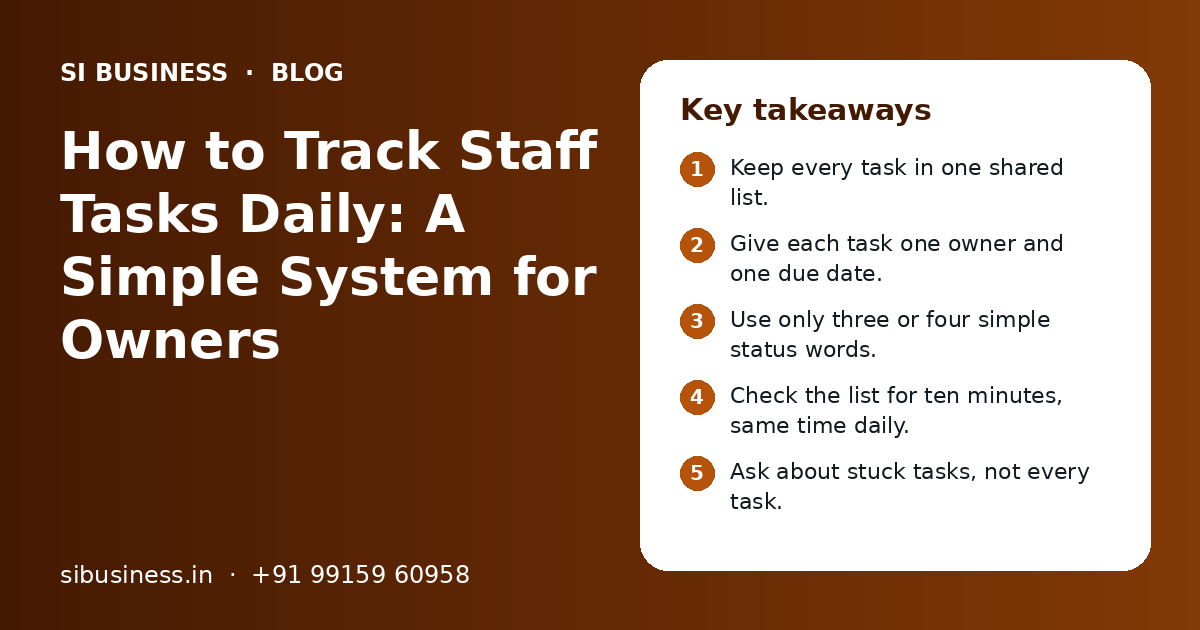
Key takeaways
- Keep every task in one shared list.
- Give each task one owner and one due date.
- Use only three or four simple status words.
- Check the list for ten minutes, same time daily.
- Ask about stuck tasks, not every task.
- Start with a sheet; move to an app when it grows.
Why is it hard to track staff tasks daily?
It is hard because tasks live in too many places: calls, chats, notebooks and memory. When there is no single list, no one can see what is pending, and the owner becomes the only reminder system.
In a small business, the owner often gives tasks on the move. "Call that supplier." "Send the quote today." "Fix the AC in branch two." Each one sounds simple. But by evening, nobody can say which ones are done.
The fix is not a costly tool. The fix is a habit: one list, clear owners, clear dates and a short daily look. Once that habit is in place, the tool you pick matters much less.
What should every task on the list include?
Every task needs five things: what to do, who owns it, when it is due, its current status and what "done" means. If any one is missing, the task will likely slip.
| Field | What to write | Example |
|---|---|---|
| Task | A short action, starting with a verb | Send revised quote to the customer |
| Owner | One person's name, never "team" | Ritu |
| Due date | A real date, not "soon" or "ASAP" | Thursday, 5 pm |
| Status | One of a few fixed words | In progress |
| Done means | How you will know it is finished | Customer confirms they got it |
| Notes | Blocker or help needed, if any | Waiting for price from purchase |
Why one owner matters
When a task has two owners, each one waits for the other. Give it to one person. That person can still ask others for help, but they are the one who answers for it.
The same fields work for a shop, a clinic, a factory or an office. If you already write SOPs, the "done means" line can point to the right SOP. Our SOP documentation page explains how to write steps your team can follow without asking.
WhatsApp, sheet or task app: which is better for daily task tracking?
For most small teams, a shared sheet is the best place to start, with WhatsApp used only to send reminders. A task app is better once you have many people, many branches or many repeat tasks.
| Option | Good for | Weak at | Best when |
|---|---|---|---|
| WhatsApp group | Quick talk, photos, voice notes | No list, tasks get lost in chat | Used only for reminders and updates |
| Shared sheet (Google Sheets or Excel online) | One clear list, easy filters, free to start | No automatic reminders, can get messy | Team of up to about 15 people |
| Task app | Owners, due dates, reminders, history, mobile use | Needs setup and some training | Many staff, branches or repeat tasks |
| Paper register or whiteboard | Visible to all in one place | Hard to share with staff on the move | Single shop floor or workshop |
If your team already lives on WhatsApp, keep it, but use it the right way. Post a daily photo or link of the task list instead of giving new tasks inside the chat. Our page on WhatsApp business operations shows how to keep team chats clean and separate from customer chats.
How to track staff tasks daily, step by step
Make one list, move all open tasks into it, give each one an owner and date, fix a daily check-in time, and close or update every task at that check-in. Then keep the habit for at least a month.
- 1
Pick one place for all tasks
Choose a shared sheet, a task app or a board. Tell the team that a task not on the list does not exist.
- 2
Empty everyone's head into the list
Spend one hour with each team lead and write down every open task, including old ones from chats and notebooks.
- 3
Give each task one owner and a date
Agree the date with the owner, not alone. People keep dates they helped set.
- 4
Use a few fixed status words
For example: Not started, In progress, Stuck, Done. Avoid long notes in the status column.
- 5
Fix a daily check-in time
Pick ten minutes at the same time every day, such as 10 am or after lunch. Keep it short.
- 6
Update the list during the check-in
Each owner updates their own tasks. Mark done tasks, move dates only with a reason and note blockers.
- 7
Follow up only on red items
Spend your time on tasks that are late or stuck. Trust the rest.
- 8
Review the week every Friday
Look at what slipped and why. Fix the cause, not just the date.
The daily check-in can be part of a short team meeting. Our guide on how to run a daily team huddle gives a simple agenda that fits well with a task list.
How do you check tasks daily without micromanaging?
Check the list, not the people. Look at status and dates once a day, and talk only about tasks that are late or stuck. Let staff decide how to do the work, and judge them on whether it gets done on time.
Micromanaging is when you ask about every small step, many times a day. It makes staff wait for you and stop thinking for themselves. Good tracking does the opposite. It gives staff a clear target and leaves them alone to reach it.
Healthy follow-up
- One fixed check-in time each day
- Owners update their own status
- Questions like "What do you need to finish this?"
- Praise for raising a problem early
Micromanaging
- Calling staff many times a day for updates
- The owner updates the list for everyone
- Questions like "Why is this not done yet?" in front of others
- Anger when someone marks a task as stuck
Make "stuck" a safe word
If staff are scolded when they say a task is stuck, they will hide problems until it is too late. Thank them for flagging it. Then ask what help they need and who can give it.
What does a simple daily task list template look like?
A simple daily task list has one row per task and a few columns: task, owner, due date, status, priority and notes. Add filters by owner and status, and colour late tasks red.
| Task | Owner | Due | Priority | Status | Notes |
|---|---|---|---|---|---|
| Collect pending payment from a dealer | Aman | Today | High | In progress | Called once, will visit at 4 pm |
| Reorder packing boxes | Neha | Wed | Medium | Not started | |
| Fix billing printer at counter 2 | Vikram | Today | High | Stuck | Waiting for technician |
| Send GST invoices for last week | Pooja | Tue | High | Done | Sent on email |
| Update price list on website | Rahul | Fri | Low | Not started | Needs new rates from owner |
These are only examples. Use your own tasks.
Over time, this list becomes useful data. You can count tasks done per week, tasks late per person and the most common blockers. Our KPI dashboard for business owners page explains how to turn simple counts like these into a short weekly view.
What mistakes should you avoid when tracking staff tasks?
The most common mistakes are keeping more than one list, giving tasks without dates, letting the owner update everything and buying an app before the habit exists. Each one makes tracking feel like extra work.
- Keeping tasks in a sheet and also giving new ones on WhatsApp, so the list is never complete.
- Writing tasks like "look into stock" with no clear action or end point.
- Giving tasks to "everyone" or "the team".
- Using vague dates like "this week" or "soon".
- Moving due dates again and again without asking why.
- Buying a costly app and expecting it to fix the habit on its own.
If tasks keep slipping even with a good list, the problem is often in the process, not the people. Work may depend on one approval, one person or one missing step. An operations audit can show where work waits and which fix will help most.
When should you move from a sheet to a task app?
Move to a task app when the sheet becomes hard to keep correct: many people editing it, many repeat tasks, staff working in the field or a need for reminders and history. Keep the same fields and habits when you move.
- More than one branch or site is on the same list
- Staff work outside the office and update from phones
- You need automatic reminders before due dates
- Repeat tasks take a lot of time to set up by hand
- You want a clear history of who changed what and when
- Tasks need approvals or hand-offs between teams
When you choose an app, look for a simple mobile screen, one owner per task, due dates, status, reminders, repeat tasks and Hindi or regional language support if your staff need it. Check that you can export your data. Run a short trial with one team before moving everyone.
If you run more than one branch, keep one list per branch in the same format, and one summary for the owner, as explained on our multi-branch operations page. When the same task keeps getting missed, a simple workflow automation setup can send alerts when it runs late.
Task tracking often links to other systems, such as HR for leave and attendance or a CRM for sales follow-ups. Our HR process automation page covers how daily staff work can connect with attendance and leave without extra typing.
How can SI Business help you track staff tasks daily?
We help you set up a simple task system that fits your team: the list format, owners, status words, a daily check-in routine and, if needed, the right app. Then we train team leads so it keeps running without you.
Task list setup
A clean sheet or app with the right fields for your business.
Daily routine
A short check-in format for owners and team leads.
Repeat task checklists
Daily and weekly lists for each role, so nothing depends on memory.
Process fixes
We look at tasks that slip often and fix the process behind them.
SI Business is powered by Shivah Web Tech, with 11+ years of experience, a 25+ in-house team and 500+ projects. We work from our office in Mohali, Punjab, with businesses in India and abroad. We do not publish fixed prices. Cost depends on team size, number of branches and whether you need a new app or only a better routine. You get a clear quote after a free call. See how we approach business process optimization, or book a free call.
Related Pages
SOP Documentation
Clear, short SOPs so every task is done the same right way.
Workflow Automation
Approvals and hand-offs that move on their own, with clear status.
WhatsApp Operations
Orders, support and updates on WhatsApp, run as a clear team process.
Operations Audit
A clear check of where time, money and customers are being lost.
Frequently Asked Questions
What is the easiest way to track employee tasks in a small business?
The easiest way is a shared sheet with one row per task and columns for task, owner, due date and status. Everyone can see it on their phone. Check it for ten minutes at the same time each day. This simple habit works better than a costly app that no one updates.
Can I track staff tasks on WhatsApp only?
You can use WhatsApp for reminders and quick updates, but it is weak as a task tracker. Messages scroll away, and there is no list of what is still open. Keep tasks in one sheet or app, and share a daily link or photo of that list in the WhatsApp group instead.
How do I follow up with staff without looking like I do not trust them?
Follow up at one fixed time each day, using the list, not random calls. Ask only about tasks that are late or stuck. Use questions like "What do you need to finish this?" Staff feel trusted when the rules are clear and the same for everyone, and when they are thanked for raising problems early.
Should staff send a daily work report?
A short daily update can help, but it should come from the task list, not a long separate report. Ask staff to update their task status before the check-in. A long written report each day takes time away from real work and is rarely read in full.
What should I do when a staff member keeps missing deadlines?
First check if the dates were agreed with them and if they had what they needed. Often the cause is unclear tasks, too much work or waiting for someone else. Talk privately, find the real blocker and fix it. If deadlines still slip after that, treat it as a performance issue.
Which task tracking app is good for a small Indian business?
Look for an app with a simple mobile screen, one owner per task, due dates, reminders, repeat tasks and data export. Regional language support helps if staff prefer Hindi or Punjabi. Try it with one team for a few weeks before moving everyone. The habit of daily checking matters more than the app name.
How long does it take for daily task tracking to become a habit?
Most teams need a few weeks of steady daily check-ins before the list stays up to date on its own. The first week often feels slow. Keep the same time and format every day, and do not skip on busy days. Judge the system after about a month, then make small changes.
Talk to our team today
Call or WhatsApp +91 99159 60958. We reply fast, Monday to Friday.