How Should a Small Business Handle Customer Complaints Step by Step?
Every business gets complaints. What matters is what happens next. This guide gives you a simple complaint process that any small team can follow, from the first reply on WhatsApp or phone to fixing the real cause, so the same problem does not come back.
How should a small business handle customer complaints?
To handle customer complaints in a small business, reply quickly, listen fully, say sorry for the trouble, log the complaint in one register, give one person ownership, agree a fix and a time, keep the customer updated and close it only when they confirm. Then review complaints every month and fix the root cause.
Key takeaways
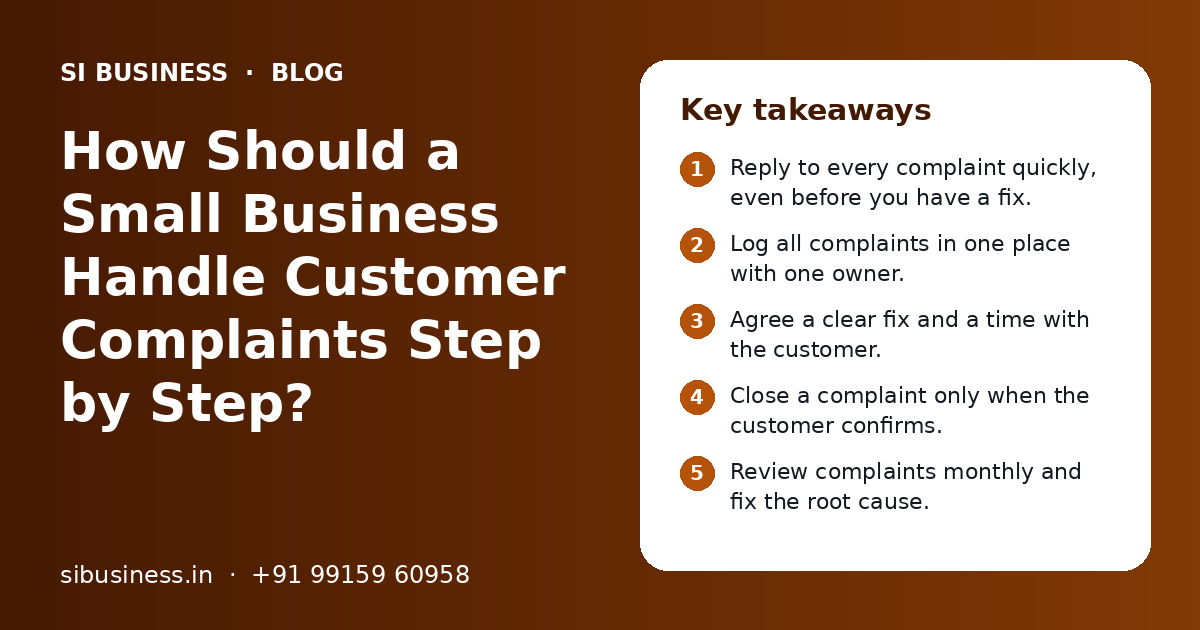
- Reply to every complaint quickly, even before you have a fix.
- Log all complaints in one place with one owner.
- Agree a clear fix and a time with the customer.
- Close a complaint only when the customer confirms.
- Review complaints monthly and fix the root cause.
Why does a simple complaint process matter for a small business?
A simple complaint process makes sure every complaint gets a reply, an owner and a fix. Without it, complaints get lost in phones, chats and memory, and unhappy customers quietly leave.
In a small business, complaints usually arrive in many places. One comes on the owner's WhatsApp. Another comes to the shop counter. A third shows up as a Google review. If nobody writes them down, nobody can follow up, and nobody can see the pattern behind them.
A shared sheet and a few clear rules are enough to start. If your business still runs through the owner for most decisions, our post on running a business without the owner explains how to hand over this kind of work.
How to handle customer complaints in a small business: step by step
Follow the same seven steps for every complaint, whatever the channel. Reply fast, listen, record, assign an owner, agree a fix, follow up and close only when the customer confirms.
- 1
Reply quickly
Send a first reply soon after the complaint arrives, even if you do not have the answer yet. A short message like "We are sorry for the trouble. We are checking this and will update you by 5 pm today" calms most customers.
- 2
Listen and ask simple questions
Let the customer explain fully. Ask for the order number, bill, photo or date. Do not argue or blame anyone in this step.
- 3
Record it in the complaint register
Add the complaint to one shared register with a number, date, channel, customer name, problem and category.
- 4
Give it one owner
Name one person who is responsible until the complaint is closed. Shared ownership usually means no ownership.
- 5
Agree a fix and a time
Tell the customer what you will do and by when: a replacement, a repair, a credit note, a refund or a callback. Promise only what you can do.
- 6
Keep the customer updated
If the fix takes longer, send an update before the promised time. Silence is what makes a small complaint grow.
- 7
Close and confirm
Mark the complaint closed only after the customer says the problem is solved. Note what was done and how long it took.
Write these steps on one page for every staff member who talks to customers. Our SOP documentation service can help you turn this into a clear, written SOP.
How should you reply to complaints on WhatsApp, phone and Google reviews?
Use the same process for every channel, but change the tone and speed to fit it. WhatsApp needs a quick written reply, phone needs calm listening, and Google reviews need a short public reply plus a private follow-up.
WhatsApp complaints
- Reply in the same language the customer used, such as Hindi, Punjabi or English.
- Ask for photos or the bill number in the chat so you have a record.
- Use a WhatsApp Business label such as "Complaint open" so the chat does not get lost.
- Move very angry customers to a phone call, then confirm the agreed fix in writing on WhatsApp.
Phone complaints
- Repeat the problem back in your own words so they know you understood.
- Give a clear next step and a time before you end the call.
- Send a short WhatsApp or SMS after the call with the complaint number and the promised time.
Google review complaints
- Reply publicly, politely and briefly. Thank them, say sorry for the experience and invite them to contact you.
- Never share private details such as bills, phone numbers or medical details in the public reply.
- Solve the problem privately, then politely ask if they would like to update the review. Do not pressure them.
For more on running WhatsApp as a proper work channel, see our page on WhatsApp business operations.
How do you track customer complaints without software?
You can track complaints with a simple shared sheet in Google Sheets or Excel. One row per complaint, with fixed columns, is enough for most small businesses to start.
| Column | What to write | Why it helps |
|---|---|---|
| Complaint number | A running number such as C-101 | Easy to refer to with the customer and staff |
| Date and time received | When the complaint came in | Shows how long it stayed open |
| Channel | WhatsApp, phone, counter, email or Google review | Shows where complaints come from |
| Customer and order | Name, phone and bill or order number | Lets anyone follow up without asking again |
| Category | Delay, quality, billing, staff behaviour, other | Helps you find patterns later |
| Owner | One person's name | Makes one person responsible |
| Promised fix and date | What was agreed and by when | Keeps promises visible to the team |
| Status | Open, in progress, closed | Shows what still needs action |
| Closed on and notes | Date closed and what was done | Shows resolution time and learning |
Keep the categories short and fixed. If every staff member writes their own category, you cannot count anything later. Once complaints grow, you can move the same columns into a CRM or helpdesk tool. The process stays the same. Only the tool changes.
What should you say to an angry customer?
Stay calm, listen without arguing, say sorry for the trouble and tell them exactly what you will do next. Most anger comes from feeling ignored, so a clear next step does more than a long apology.
Phrases that help
- "I am sorry this happened. Let me check it right now."
- "Can you share the bill number so I can trace it?"
- "Here is what I will do, and I will update you by this time."
- "Thank you for telling us. It helps us fix this for others too."
Phrases to avoid
- "This is not our fault."
- "Nobody else has complained about this."
- "That is our policy, we cannot do anything."
- "Call back tomorrow and ask for someone else."
Saying sorry for the trouble is not the same as admitting fault. You are only showing that you care about the customer's experience. If a customer is abusive, staff should stay polite and pass it to a senior person.
Who should own complaints and what can staff decide alone?
Give one named person charge of the complaint process, and give front-line staff clear limits on what they can approve without asking. This keeps complaints moving fast and stops every small issue from reaching the owner.
In a small business, the complaint process owner may be a manager, a senior staff member or the owner. Their job is to check the register daily, chase open complaints and run the monthly review. Each single complaint still has its own owner, who may be the staff member closest to the problem.
| Type of fix | Who can decide | Example |
|---|---|---|
| Apology and callback | Any staff member | Promise a callback within the same day |
| Small goodwill gesture | Front-line staff, within a set limit | A free service add-on or a small discount on the next order |
| Replacement or repair | Team lead or manager | Replace a faulty item after checking |
| Refund or credit note | Manager or owner | Refund through UPI or issue a GST credit note |
| Legal or safety issue | Owner only | Any complaint that mentions injury, fraud or legal notice |
Write these limits down. When staff know what they can do, they solve more complaints in the first conversation.
How do you find and fix the root cause of complaints?
Review your complaint register once a month, group complaints by category, find the few causes that repeat most, and fix those processes. Handling each complaint well is good, but stopping it from happening again is better.
- 1
Count complaints by category
Sort the register and count how many complaints fall in each category this month.
- 2
Pick the top one or two
Do not try to fix everything. Choose the categories that repeat most or hurt customers most.
- 3
Ask why five times
For a late delivery, ask why it was late, then why that happened, and keep going until you reach a process cause, not a person to blame.
- 4
Change the process
Fix the step that failed, such as a missing check before dispatch, a wrong price list or an unclear handover.
- 5
Check next month
See if that category has gone down. If not, look again at the cause.
If many complaints come from the same part of your work, such as orders or billing, an operations audit can map the full process and show where it breaks.
Which numbers should you track for complaints?
Track a few simple numbers each month: how many complaints came in, how fast you replied, how long they took to close, and which categories repeat. These show whether your process is working.
| Number | How to find it | What it tells you |
|---|---|---|
| Complaints this month | Count rows in the register | Whether problems are rising or falling |
| Time to first reply | Received time to first reply time | Whether customers feel heard quickly |
| Time to close | Received date to closed date | Whether fixes are slow |
| Top category | Category with the most rows | Where to focus root-cause work |
Add these numbers to your weekly or monthly review. A small KPI dashboard for owners can show them on one screen, next to sales and delivery numbers.
What mistakes should you avoid when handling complaints?
The biggest mistakes are slow replies, arguing with the customer, promising what you cannot do and closing complaints without checking. Each one turns a small problem into a lost customer.
- Do not leave a complaint without any reply for long, even if the fix is not ready
- Do not argue in public on Google reviews or social media
- Do not make promises staff cannot keep, such as same-day refunds without approval
- Do not keep complaints only in personal phones and memory
- Do not close a complaint before the customer confirms it is solved
- Do not blame individual staff for every complaint; check the process first
- Do not ignore small, repeated complaints because each one looks minor
Handled well, complaints help you keep customers. They also show you where to improve your customer experience. If you want a full system for collecting feedback before people complain, see our customer feedback system page, and our customer retention strategy page for keeping customers after a problem. To set up a complaint process for your team, book a free call. You get a clear quote after a free call.
Related Pages
Feedback System
Hear from customers regularly, and turn what they say into fixes.
Customer Experience
Faster replies, fewer complaints and customers who come back.
WhatsApp Operations
Orders, support and updates on WhatsApp, run as a clear team process.
Customer Retention
Keep more of the customers you already have, and help them buy again.
Frequently Asked Questions
How fast should a small business reply to a customer complaint?
Reply as soon as you reasonably can, ideally within working hours on the same day. The first reply does not need the full answer. It only needs to show that you received the complaint, that you are sorry for the trouble and when you will update them. Set a clear reply time for your team and track it every month.
Should I reply to a negative Google review or ignore it?
You should reply. A short, polite public reply shows other customers that you care and take problems seriously. Thank the reviewer, say sorry for their experience and invite them to contact you directly. Do not argue or share private details. Solve the problem privately, then you may politely ask if they wish to update their review.
What is the best way to record customer complaints in a small shop?
A shared Google Sheet or Excel file works well for most small shops. Keep one row per complaint with columns for number, date, channel, customer, problem, category, owner, promised fix, status and closing date. Keep categories fixed so you can count them later. Move to a CRM or helpdesk tool only when the sheet becomes hard to manage.
Is it okay to give a refund to every customer who complains?
No. A refund is one possible fix, not the default answer. Many customers only want the problem solved, such as a replacement, a repair or a quick correction of a bill. Set clear rules for when refunds or credit notes are allowed and who can approve them. This keeps you fair to customers and protects your margins.
How can I stop the same complaint from coming again?
Review your complaint register every month and group complaints by category. Pick the one or two categories that repeat most. Ask why each problem happened until you reach a process cause, then change that step, such as adding a check before dispatch. Next month, see if that category has gone down. If not, look at the cause again.
Who should handle complaints in a small business with few staff?
Name one person to run the complaint process, even if it is the owner at first. They check the register daily and chase open items. Each complaint can still be handled by the staff member closest to the problem. Give front-line staff written limits on what they can approve, so small issues get solved without waiting for the owner.
Do I need software to manage customer complaints?
Not at the start. A clear process, a shared sheet and fixed rules are enough for most small businesses. Software helps when complaints grow, when many staff or branches handle them, or when you want automatic reminders and reports. Choose software only after your process works on a sheet, so the tool supports a process your team already follows.
Talk to our team today
Call or WhatsApp +91 99159 60958. We reply fast, Monday to Friday.